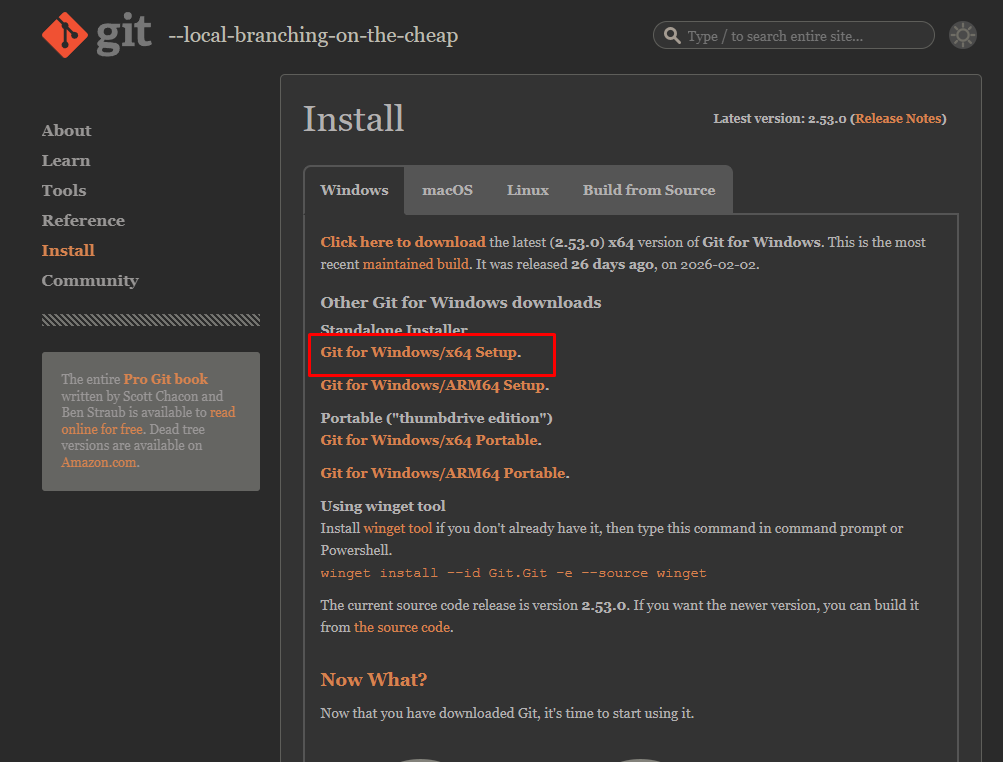
1. Git Bash 설치
https://git-scm.com/install/windows
Git - Install for Windows
Click here to download the latest (2.53.0) x64 version of Git for Windows. This is the most recent maintained build. It was released on 2026-02-02. Other Git for Windows downloads Standalone Installer Git for Windows/x64 Setup. Git for Windows/ARM64 Setup.
git-scm.com
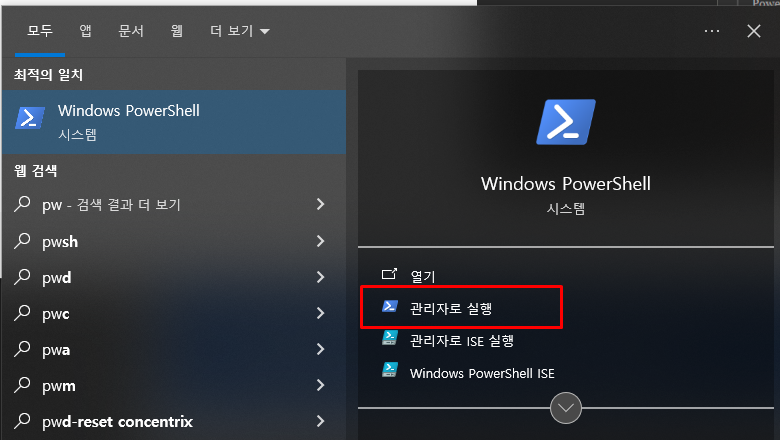
2. Power Shell 관리자 권한 실행
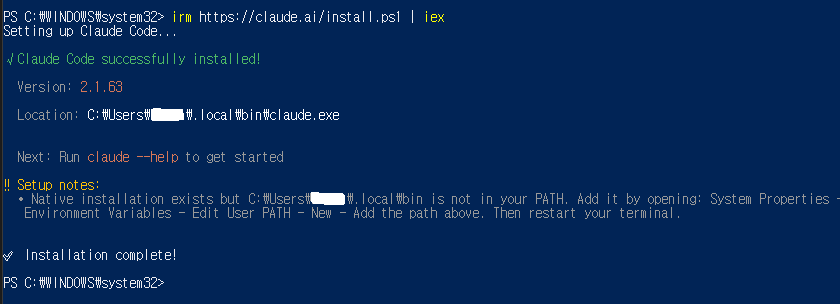
3. Power Shell에 아래 명령어 입력
irm https://claude.ai/install.ps1 | iex
4. 설치 완료 메세지 확인
5. PowerShell에서 Node.js 버전 확인
node --version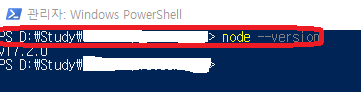
6. Node.js 버전이 너무 낮으면 Trouble Shooting 2번 현상이 나오게 됨으로 업데이트 빌요
7. Node.js 업데이트
https://nodejs.org/ko으로 가서 최신 버전 설치

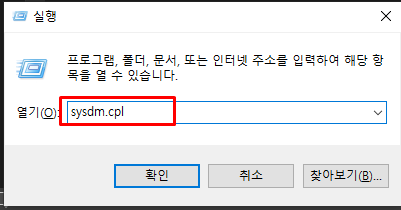
8. Path 등록 Win + R > sysdm.cpl 후 엔터
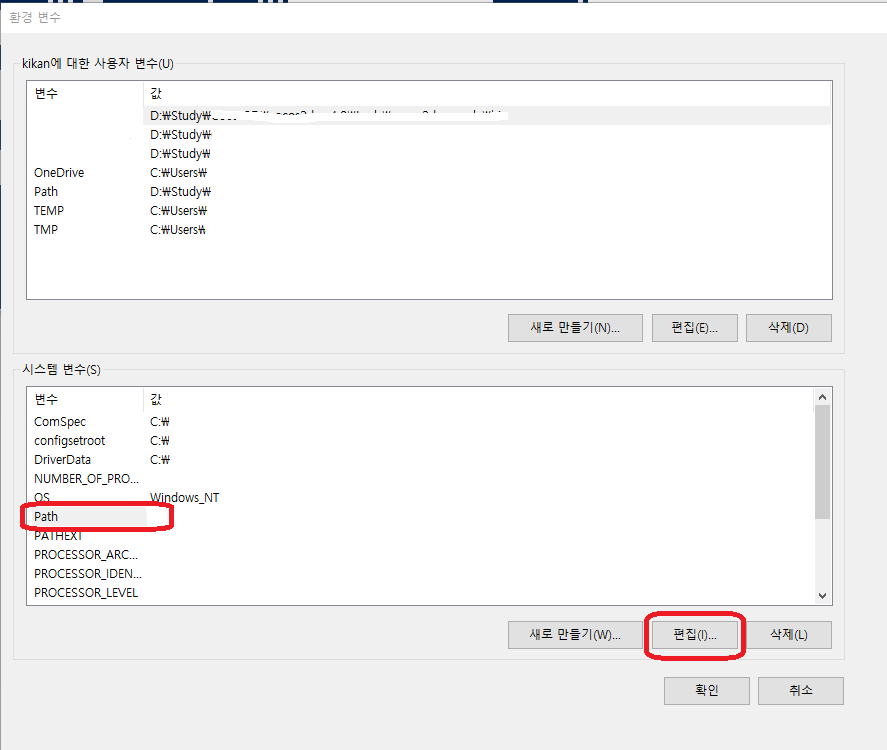
9. 시스템 변수에 PATH 클릭 후 편집
10. PowerShell에서 아래 명령어 입력 후 경로 확인
npm config get prefix
11.7번에서 확인한 경로 입력
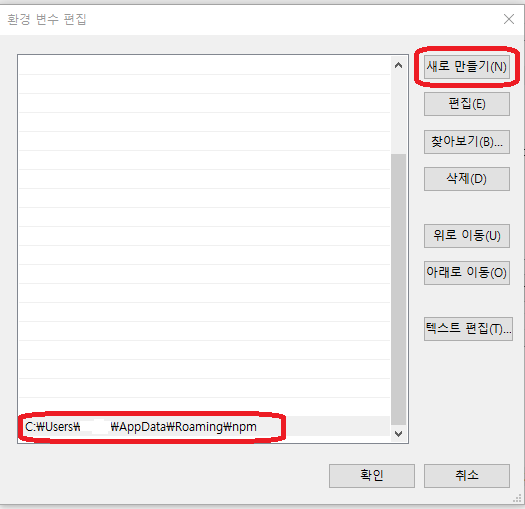
12. Power Shell 종료 후 재실행
13. 실행 규칙 변경
Set-ExecutionPolicy RemoteSigned -Scope CurrentUser
14. 설정 완료 후 Claude Code를 사용하고 싶은 폴더로 이동

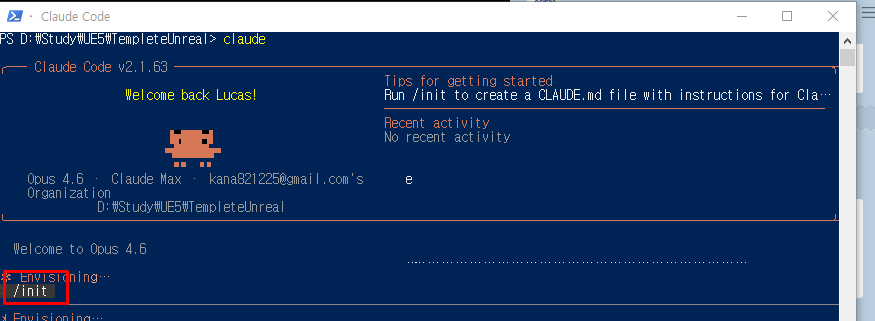
15. claude 실행

16 /init 입력
999. Trouble Shooting
1. Claude Code on Windows requires git-bash (https://git-scm.com/downloads/win). If installed but not in PATH, set environment variable pointing to your bash.exe, similar to: CLAUDE_CODE_GIT_BASH_PATH=C:\Program Files\Git\bin\bash.exe 메세지 출력

1번 Git-Bash를 설치 해야 함. 만약 설치 되어 있는 경우 환경 변수에 추가
2. SyntaxError: The requested module 'node:fs/promises' does not provide an export named 'constants' 에러
Node.js 버전이 낮아서 발생
5번 Node.js버전 확인 후 최신 버전 설치